Welcome to CheckoutPress v1.5.0
CheckoutPress is a professional, secure payment solution for WordPress designed specifically for Paddle Billing V2. It streamlines the process of selling digital products by handling transaction logging, automated customer account creation, and protected file delivery.
Harness the power of the Paddle Overlay Checkout while ensuring your digital assets are stored in a non-public, high-security directory accessible only after a verified successful payment.
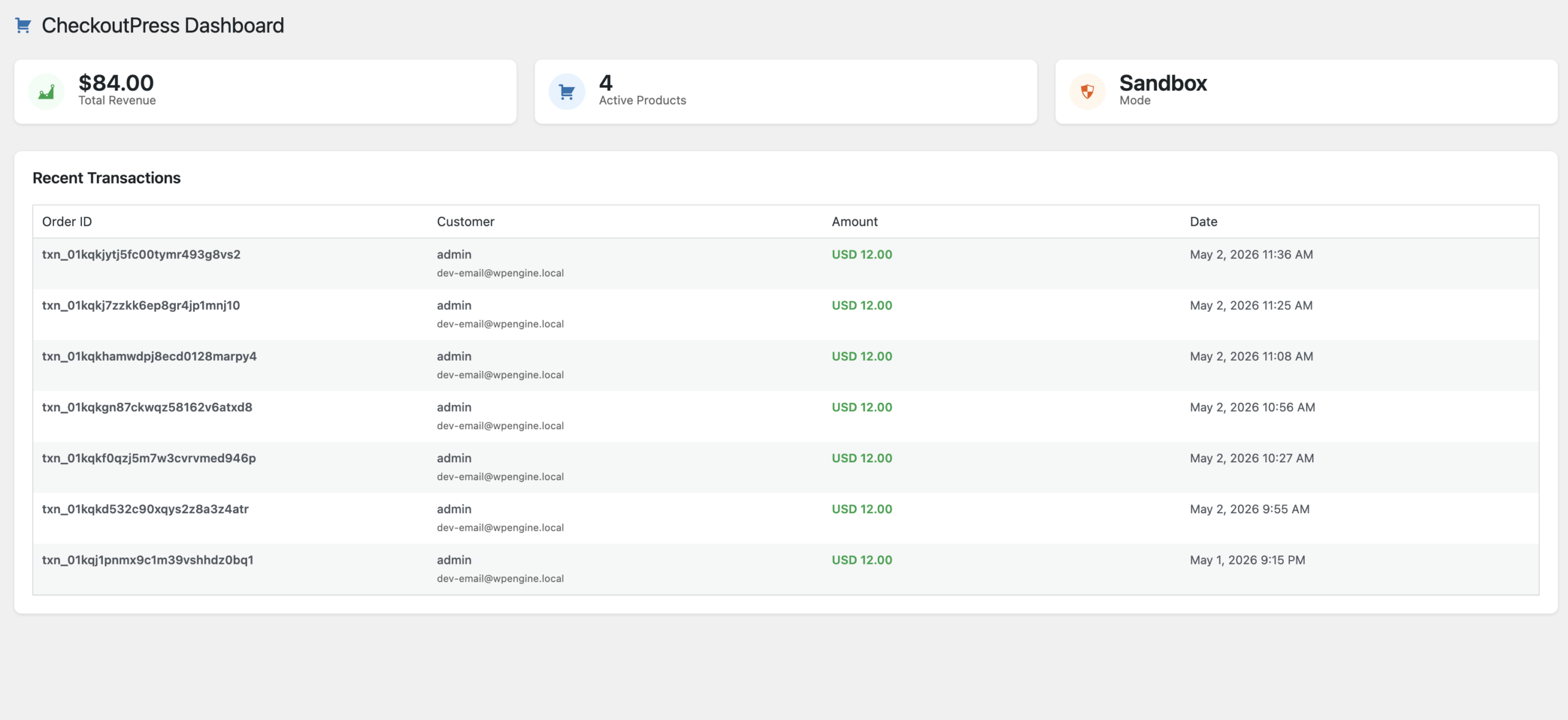
1. Plugin Licensing
Unlock premium features and enable Paddle API communication by authenticating your installation in the License tab.
- Enter your License Key to activate secure server-to-server communication.
- Once active, the plugin enables the Test Connection feature and automatic webhook verification.
2. Paddle Engine Configuration
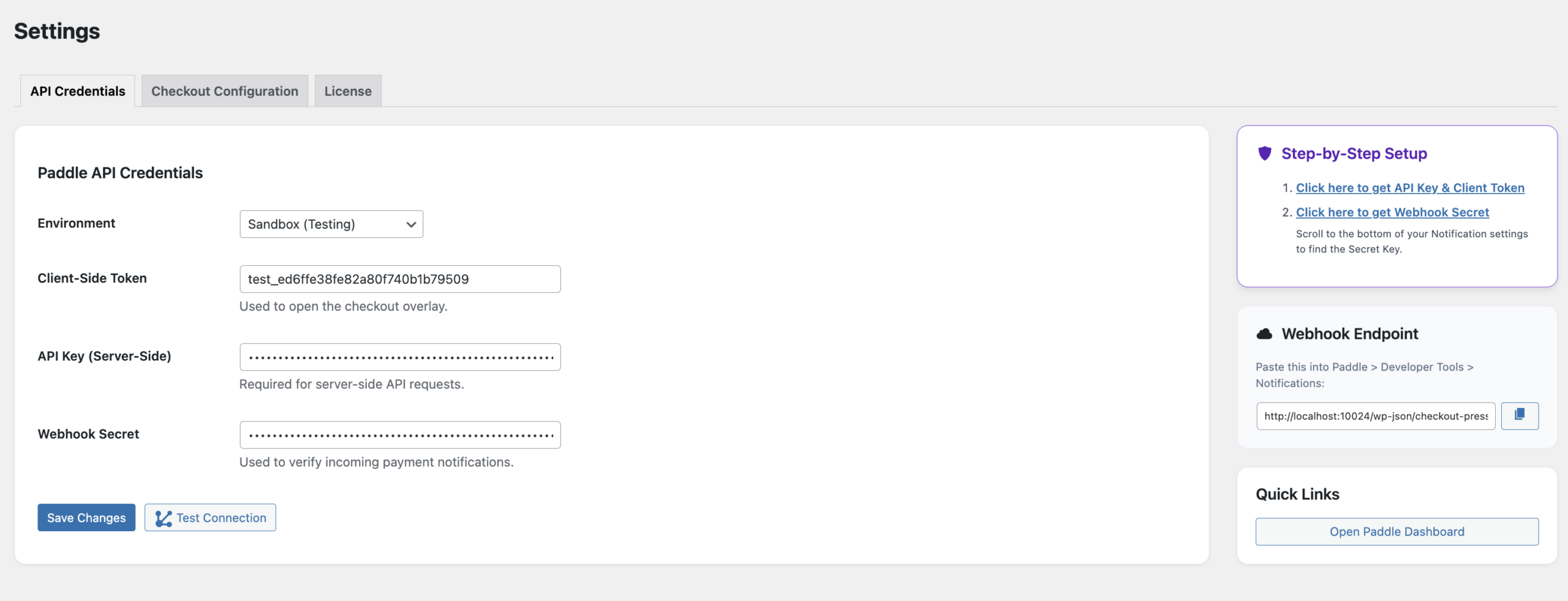
Configure your API Credentials to link your store with your Paddle account. Version 1.5.0 is fully optimized for Paddle Billing (V2).
- Client-Side Token: Required for the JS checkout overlay.
- API Key: Required for server-side order verification and data retrieval.
- Webhook Secret: Critical for verifying the authenticity of Paddle payment notifications.
3. Digital Product Mapping
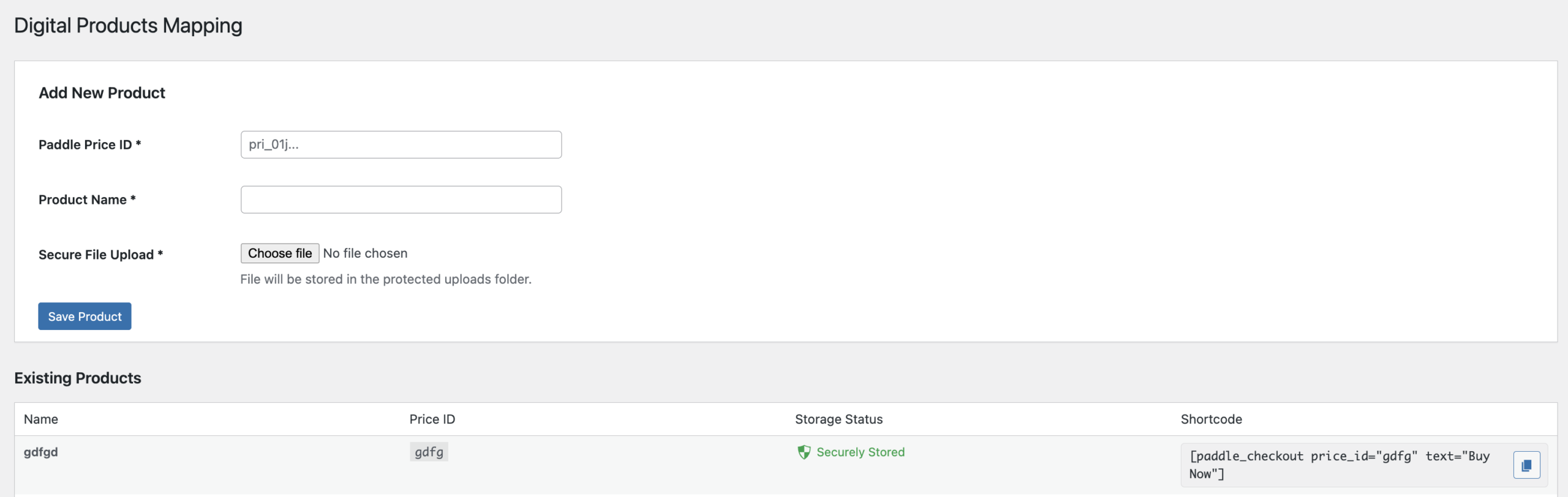
The Products tab allows you to link your Paddle Price IDs to your physical files.
- Price ID Linkage: Enter the
pri_...ID from your Paddle dashboard. - Secure Upload: Use the native uploader to move files into the protected
checkoutpress-protectedfolder. - Storage Status: Real-time indicator showing whether a file is in the secure directory or publicly accessible.
4. Shortcode Implementation
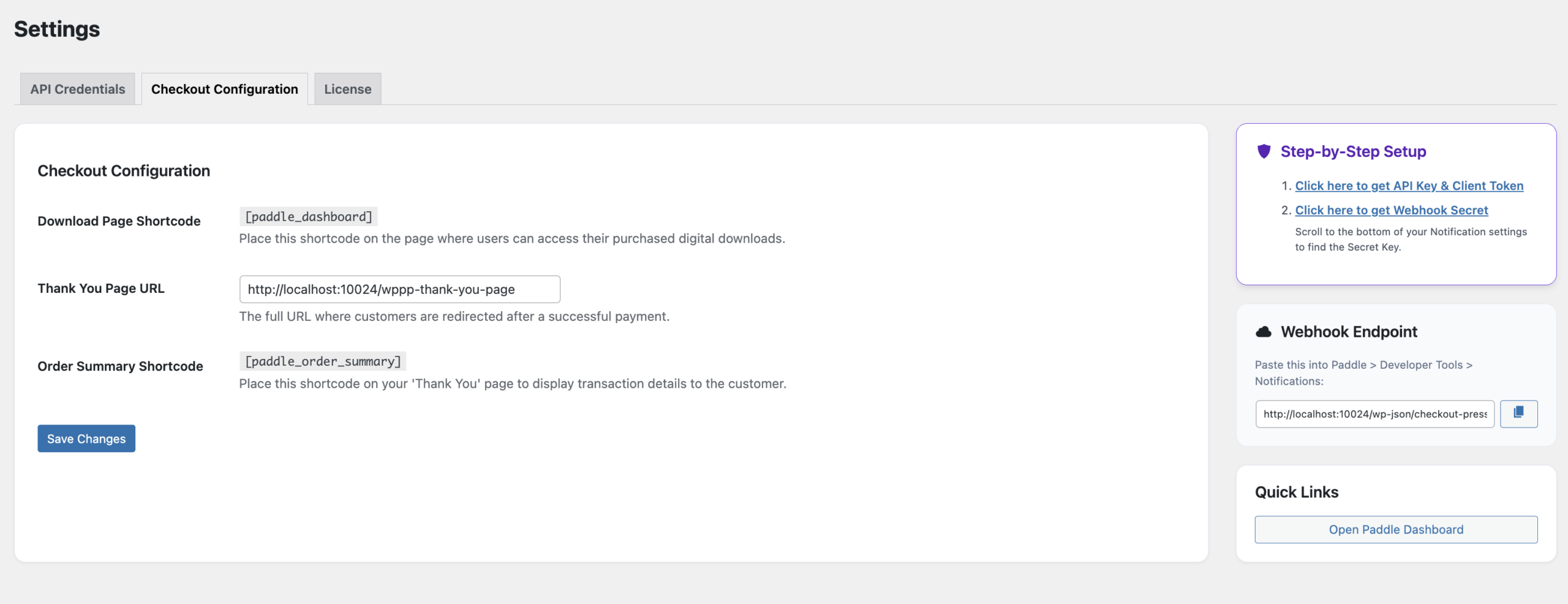
CheckoutPress provides clean, semantic shortcodes to build your checkout flow without touching code.
[paddle_checkout price_id="pri_..." text="Buy Now"]: Renders a high-conversion checkout button anywhere on your site.[paddle_order_summary]: Displays a success message and transaction details on your Thank You page.[paddle_dashboard]: Renders the secure customer download area and purchase history.
5. Webhook Setup
Automate your delivery by setting up the Webhook Endpoint in your Paddle Dashboard.
https://yourdomain.com/wp-json/checkout-press/v1/webhook
- Copy the URL from the CheckoutPress settings sidebar.
- In Paddle, enable the
transaction.paidandtransaction.completedevents. - Paste your Webhook Secret back into CheckoutPress to secure the handshake.
Customer Dashboard
The My Downloads dashboard is the central hub for your customers after a purchase.
- Purchase History: Lists all successful transactions for the logged-in user.
- Secure Links: Generates secure, authenticated download links that prevent hotlinking.
- Mobile Responsive: Fully responsive table UI built for Dashicons and modern WordPress themes.
Security & Storage Logic
CheckoutPress uses a "Zero-Trust" approach to file storage.
- HTACCESS Protection: Automatically injects protection rules into your upload directory to block direct browser access.
- Download Interceptor: Files are served via PHP streams, ensuring the user has a
completedstatus in the database before serving the file. - Slug-based Isolation: Each installation uses unique database table prefixes based on your plugin slug to prevent conflicts.
WooCommerce Sync (Optional)
If WooCommerce is active, CheckoutPress can automatically mirror Paddle transactions as completed orders.
- Shadow Orders: Creates a WooCommerce order for every Paddle webhook received.
- Price Integrity: Automatically extracts net subtotal and tax totals from Paddle V2 line items to ensure accurate reporting.
- Transaction ID: Maps the Paddle
txn_...ID to the WooCommerce transaction field for easy cross-referencing.
Support & Technical Documentation
CheckoutPress is developed and maintained by ShahiSoft. We provide enterprise-grade support for our digital sales tools.
Customer Support
For technical implementation help, licensing issues, or custom feature requests, contact our helpdesk.
Contact ShahiSoft SupportLegal Information
- Software License: Distributed under the GPL v2.0+ license.
- Data Privacy: Transaction logs are stored locally; no customer financial data (Credit Cards) ever hits your server.
- API Usage: Requires a valid Paddle Seller account and Billing V2 enabled.